If you’ve spent any time researching safety devices for an aging parent, you’ve probably noticed the same product gets called four different things depending on which website you’re reading. One site calls it a “personal alert safety system.” Another calls it a “personal emergency response system.” A third just says “medical alert system.” A fourth talks about “PERS” like everyone already knows what that means.
They’re all describing the same thing. This guide explains exactly what a personal alert safety system is, how it actually works, and how to choose one — written specifically for families researching devices for a senior, not for workplace safety alarms or general personal security products that sometimes show up under similar search terms.
What Does “Personal Alert Safety System” Actually Mean?
A personal alert safety system — also called a PERS, a personal emergency response system, or simply a medical alert system — is a device that lets someone call for help with the push of a button, without needing to dial a phone or speak to find assistance. The terminology varies because different companies and organizations adopted different names for the same underlying technology over the past several decades, and none of them ever became the single standard term.
PERS is the abbreviation used most consistently across healthcare and caregiving contexts, so we’ll use it throughout this guide. If you’ve seen “personal alert safety system” used in a workplace safety context — for lone workers, delivery drivers, or security staff — that’s a related but separate category of product. This guide focuses specifically on personal alert safety system devices designed for seniors and people managing health conditions at home.
How a PERS Device Actually Works
The Three Components
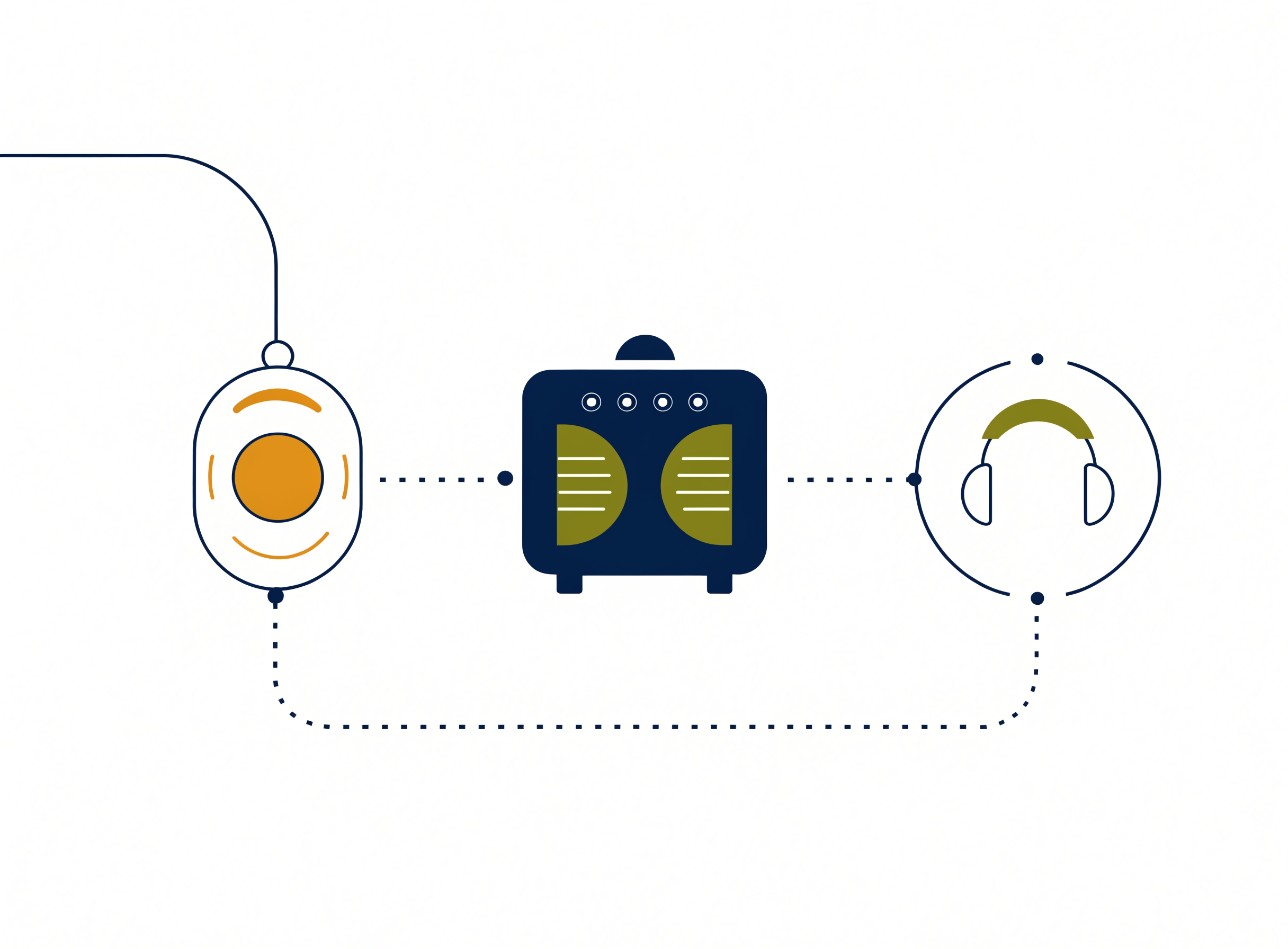
Every personal alert safety system, regardless of brand, is built from three basic parts. First, a wearable button — typically a pendant worn around the neck, a wristband, or a clip-on device attached to clothing. Second, either a base unit that plugs into a landline or Wi-Fi connection, or a cellular module that lets the device connect to a mobile network directly, depending on whether you have an in-home or mobile system. Third, a monitoring center — a facility staffed by trained operators who receive the alert and respond.
What Happens When You Press the Button
Pressing the button sends a signal to the base unit or cellular module, which immediately connects to the monitoring center. A trained operator answers, typically within 30 to 60 seconds depending on the provider, and speaks with the person through a two-way speaker built into the base unit or the wearable device itself. The operator asks what’s happening, confirms the person’s location and any relevant medical information on file, and dispatches the appropriate help — that might mean calling 911, contacting a neighbor with a spare key, or reaching a family member, depending on the situation and what’s been set up in advance.
Preventing falls in the first place is equally important. The bathroom is the highest-risk room for seniors — see our guide to bathroom accessories for seniors for the grab bars, shower seats, and non-slip mats that address the most common fall scenarios.
Automatic Fall Detection — How It Differs From Manual Activation
Some PERS devices include automatic fall detection, which uses motion sensors to recognize the specific pattern of a fall and triggers an alert without the person needing to press anything. This matters because a serious fall can leave someone unconscious, confused, or simply unable to reach the button. Automatic fall detection isn’t perfect — it can occasionally miss a genuine fall or trigger on a false positive, like sitting down quickly — but it closes a real gap that manual-only systems can’t address.
The Three Main Types of PERS
In-Home Systems
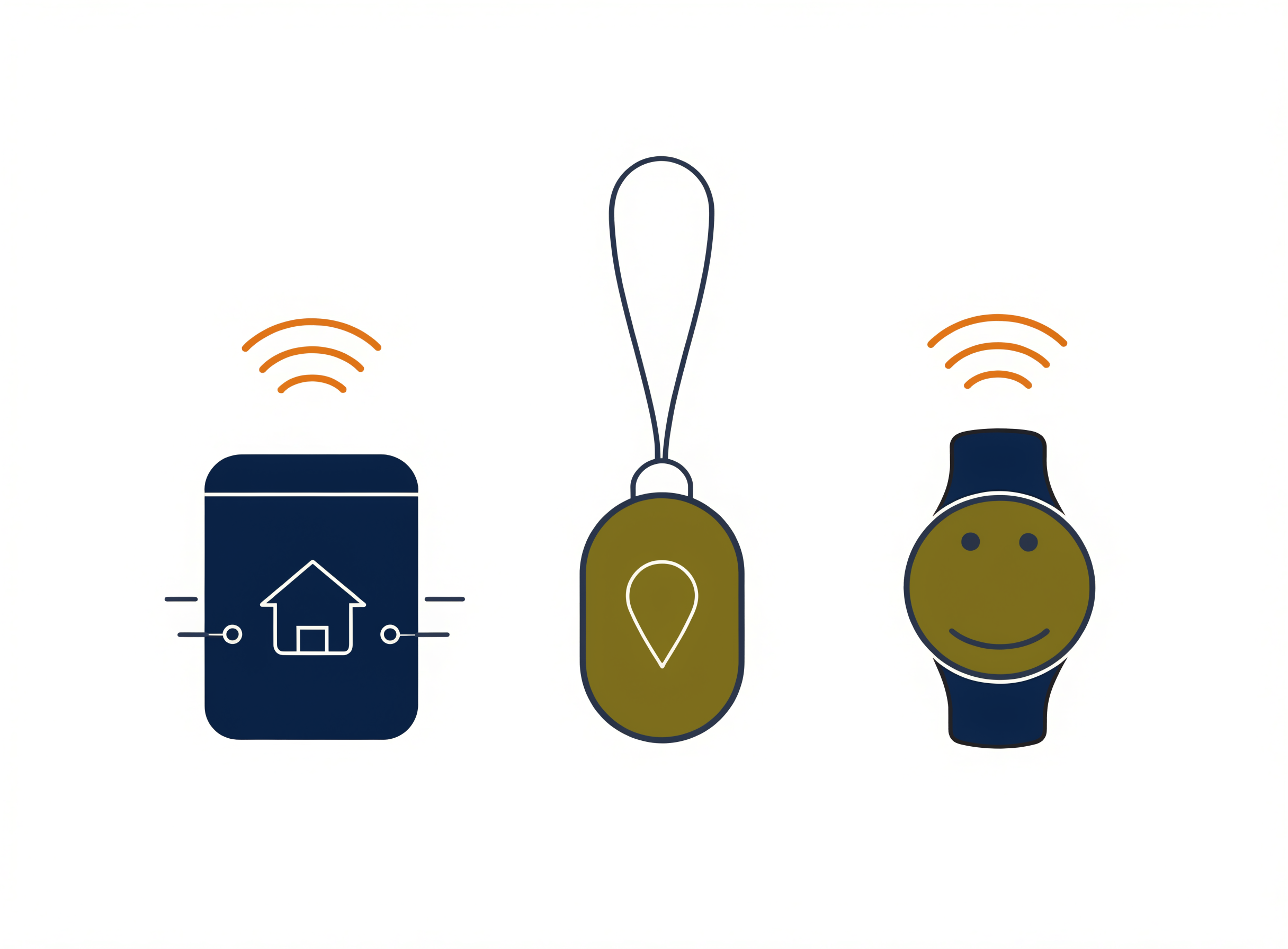
In-home systems connect through either a landline phone line or, increasingly, a cellular or Wi-Fi connection built into the base unit. These work well for someone who spends most of their time at home and rarely ventures far from the house, since the wearable button typically has a range of several hundred feet from the base unit. We cover the specific landline and cellular variants in more depth in our medical alert wearables guide.
Mobile and Cellular Systems
Mobile systems use built-in cellular connectivity and GPS to work anywhere there’s mobile signal, not just within range of a home base unit. These suit someone who’s still active outside the house — running errands, visiting family, walking in the neighborhood — and need protection that doesn’t stop at the front door. Our mobile medical alert systems guide goes into the specific GPS accuracy and battery considerations that matter here.
Wearable-Only Systems
Some newer devices skip the separate base unit entirely, building cellular connectivity directly into a watch, pendant, or wristband. These tend to cost more but eliminate the need for a base unit altogether, which can matter if the home layout makes base unit placement awkward, or if the person travels frequently between locations.
Medical Alert Buttons and Pendants Explained
The wearable button is the part of the system someone interacts with daily, so its form factor matters more than people often expect going in. Pendants hang around the neck and are generally the easiest to press reliably, since they sit at a predictable height and orientation. Wristbands work like a watch and tend to be the option people forget they’re wearing, which is good for compliance but means the button itself needs to be easy to find without looking. Clip-on devices attach to a waistband or shirt and work well for people who find neck or wrist wear uncomfortable, though they can be removed more easily — sometimes accidentally.
Waterproofing matters more than most people initially realize, because a significant share of falls happen in the bathroom, and a device that has to come off in the shower provides zero protection during exactly the moment it’s needed most. Look for at minimum an IPX7 rating, which means the device can be briefly submerged without damage. Our medical alert wearables guide covers the specific waterproofing, battery life, and comfort differences across the major pendant and wristband options in detail.
Who Actually Needs a PERS?
A PERS makes the most sense for someone living alone who has had a previous fall, manages a chronic health condition that could cause a sudden emergency, or is showing early signs of mobility decline that increase fall risk. It’s also worth considering for someone with mild cognitive changes, provided the device is one they’ll reliably keep wearing — a pendant that gets removed and left on a nightstand provides no protection at all.
It’s also worth thinking about this from the caregiver’s side, not just the senior’s. If you’re the adult child managing care from a distance — checking in by phone, visiting on weekends, coordinating with siblings — a PERS shifts some of that constant background worry into something concrete. You’re not waiting to hear a phone ring with bad news after the fact; you know there’s a mechanism in place that activates the moment something goes wrong, whether or not your parent is able to call you directly.
None of this requires a crisis to justify the decision. Many families set up a PERS proactively, well before any incident, simply because the peace of mind for everyone involved outweighs the relatively modest monthly cost. Waiting until after a fall to set one up is common, but it’s not the only — or even the best — time to start.
If mobility decline is the underlying concern — a parent who can still walk but struggles with uneven terrain, longer distances, or outdoor surfaces — a PERS works best as part of a broader approach. The right walking aid reduces the chance of a fall happening in the first place; a PERS provides a safety net when one does. See our guide to motorized chairs and electric walkers for seniors for options ranging from power wheelchairs to all-terrain rollators.
How to Choose a Personal Alert Safety System (PERS) Provider
Not every provider monitors calls the same way, and this is the single most important distinction to understand before comparing prices. Professionally monitored systems connect to a live operator at a staffed monitoring center, 24 hours a day. Self-monitored or unmonitored devices instead call through a pre-set list of personal contacts — your phone, then a sibling’s phone, then a neighbor’s — with no professional operator involved at all. For someone living alone, professional monitoring is strongly worth the modest extra cost, since it doesn’t depend on a family member being awake and available at 3am.
It’s worth asking specifically how a provider’s monitoring center is certified. Look for centers certified by the Underwriters Laboratories (UL) or accredited by independent industry bodies — this isn’t a marketing detail, it reflects real standards around operator training, redundant power and communication systems, and response time auditing. A provider that can’t clearly answer how their monitoring center is certified is one worth questioning further.
Beyond monitoring type and certification, look closely at contract terms. Some providers lock you into multi-year agreements with steep cancellation fees if you need to stop service early — which matters more than it might seem, since needs change, a parent may move into assisted living, or a device may simply turn out to be the wrong fit. Others operate month-to-month with no penalty for switching or cancelling.
Always calculate total cost over a full 12 months rather than comparing advertised monthly rates alone, since equipment fees, activation charges, and optional add-ons like fall detection often aren’t included in the headline price. Our full comparison of the best medical alert systems breaks down contract terms, total 12-month cost, and equipment quality across the major providers in detail.
Response time is another factor worth asking about directly, though it’s harder to verify independently than contract terms. Most reputable providers answer calls within 30 to 60 seconds on average. If a provider won’t share their average response time or gets vague when you ask, treat that as a signal to look elsewhere — this is exactly the kind of information a confident, well-run monitoring service should be able to state plainly.
LifeFone is one provider worth specifically calling out here for its no-long-term-contract structure, which removes one of the more common sources of buyer’s remorse in this category — you’re not locked in if the device or service doesn’t end up being the right fit for your parent’s situation. Some providers in this space also bundle medication management features alongside emergency response; Hero Health is a notable example if pill organization is a secondary concern alongside fall protection, since combining both needs into one device or service can simplify things considerably for a caregiver managing multiple aspects of a parent’s care from a distance.
Finally, ask about the cancellation process itself before signing up, not after. Some providers make this straightforward — a phone call or online form. Others require certified mail, advance notice periods, or charge restocking fees on returned equipment. This information is rarely advertised prominently, so it’s worth asking directly or checking independent reviews before committing.
What Does a PERS Cost?
Most monitored personal alert safety system plans run somewhere between $20 and $50 per month, with automatic fall detection typically adding another $5 to $10 on top of the base price. Equipment costs vary widely — some providers include the device free with a monitoring contract, while others charge an upfront purchase price plus a separate monthly monitoring fee. We’ve documented the real, total cost — including the fees that don’t always show up in the advertised price — in our Life Alert cost breakdown and our guide to medical alert systems with no monthly fee, for anyone trying to avoid an ongoing subscription entirely.
Frequently Asked Questions
Is a personal alert safety system the same as a medical alert system?
Yes. Personal alert safety system, personal emergency response system, PERS, and medical alert system all refer to the same category of device — a wearable button connected to a monitoring service that dispatches help in an emergency. The terminology differs by source, but the underlying product is identical.
Does Medicare cover a personal emergency response system?
Original Medicare generally does not cover personal alert safety system devices, though some Medicare Advantage plans include them as a supplemental benefit. Coverage varies significantly by plan and provider, so it’s worth checking directly with your specific plan rather than assuming either way.
How much does a personal alert safety system device cost per month?
Most monitored systems cost between $20 and $50 per month, with fall detection typically adding $5 to $10 more. The exact cost depends heavily on the provider, contract length, and whether equipment is included or purchased separately.
Can a personal alert safety system work without a landline phone?
Yes. Most current personal alert safety system devices use cellular connectivity instead of requiring a landline, which also makes mobile and GPS-enabled systems possible. Landline-based systems still exist and can be slightly less expensive, but they’re no longer the only — or even the most common — option.
What’s the difference between a monitored and unmonitored medical alert button?
A monitored system connects to a professional monitoring center staffed by trained operators around the clock. An unmonitored system instead calls through a list of personal contacts set up in advance, with no professional operator involved. Monitored systems cost somewhat more but remove the dependency on a family member being available and awake when an alert comes in.
Do personal alert safety systems work outside the home?
It depends on the type. Mobile and GPS-enabled systems work anywhere there’s cellular signal, making them suitable for someone who’s active outside the house. In-home systems are limited to a few hundred feet from the base unit and are best suited to someone who spends most of their time at home.