He bought it on a Saturday morning and set it up that afternoon.
His wife wore it every day for two weeks. Then one evening she forgot to charge it. Then she forgot again. By the third week the charging had become irregular — sometimes every day, sometimes every three days, sometimes whenever she noticed the low battery warning.
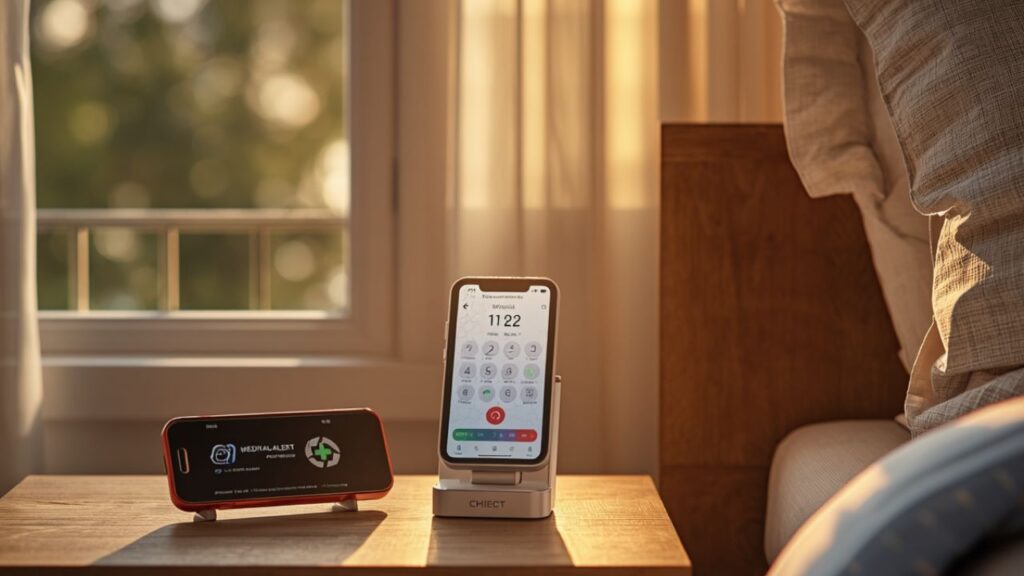
The day she fell in the driveway, the device was dead. It had been sitting uncharged on the kitchen counter since the night before.
Mobile medical alert systems are the right choice for seniors who are still active — who drive, walk to the shops, go to appointments, and live their lives outside the house. But they come with one operational reality that in-home systems do not: they need to be charged, carried, and worn every day without fail. When that routine breaks down, the protection disappears.
This guide covers the decisions that determine whether mobile medical alert systems actually protect your parent: whether they need mobile or in-home coverage, how battery life affects daily compliance, and the five best mobile medical alert systems in 2026 matched to the seniors who will actually use them.
Do You Need Mobile Medical Alert Systems or In-Home Coverage?
This is the first question — and answering it honestly saves money and prevents the wrong purchase.
Mobile medical alert systems use 4G LTE cellular connectivity. They work anywhere a cell signal reaches: at home, at the shops, in the car, on a walk, and at a family member’s house. No base station, no Wi-Fi, no geographic limitation within cell coverage.
In-home medical alert systems use a base station plugged into the home. The wearable pendant communicates with the base station up to 600–1,400 ft. Outside that range — in the driveway, down the street, at the doctor’s office — the system does not work.
Choose mobile medical alert systems if your parent leaves the house regularly — shopping, doctor’s appointments, walks, driving, visits to family. The protection follows them wherever they go.
Choose in-home coverage if your parent is predominantly housebound — rarely or never leaves the house without a caregiver present. In-home systems cost $5–$10/mo less than mobile and require no GPS battery management. For a fully housebound senior, the mobile premium is not justified.
Choose a bundle (in-home base station plus mobile device) if your parent is sometimes home alone and sometimes out independently. LifeFone’s At-Home and Away plan covers both scenarios in one subscription. This is the right choice for seniors whose activity level varies.
The honest question to ask before purchasing mobile medical alert systems: how many days per week does your parent leave the home without a caregiver present? If the answer is two or more: mobile. If the answer is rarely: in-home. If the answer is both: bundle.
Battery Life in Mobile Medical Alert Systems — The Most Overlooked Factor
Battery life is the specification that most caregivers skip when comparing mobile medical alert systems — and it is the one that most directly determines whether the device is on the body or dead on the counter when something goes wrong.
Mobile medical alert systems run on rechargeable batteries. Unlike in-home systems that draw power from the base station continuously, mobile devices must be charged regularly by the senior or a caregiver.
Battery life comparison across current mobile medical alert systems:
Medical Guardian MGMini: 5 days between charges — the longest battery life in the category. A senior who charges it on Sunday evening has coverage through Friday.
Lively Mobile2: approximately 3 days between charges — strong for the price point. Requires charging approximately twice per week.
Bay Alarm Medical SOS Mobile: 24–48 hours — requires charging every one to two days. The most frequent charging schedule in this guide.
MobileHelp Solo: approximately 24 hours — daily charging required.
LifeFone At-Home and Away mobile component: approximately 24–48 hours.
What the numbers mean practically: a senior who reliably charges their device every evening does fine with a 24-hour battery. A senior whose charging routine is inconsistent — common with dementia, irregular sleep patterns, or general forgetfulness — needs the longest possible battery life. The MGMini’s 5-day battery is specifically valuable for this population.
The setup recommendation for any mobile medical alert systems purchase: establish the charging routine before the device arrives. Tie it to an existing daily habit — charge when the senior makes morning tea, charge when they brush their teeth at night. A routine attached to an existing behaviour is more likely to hold than a standalone new task.
Do Mobile Medical Alert Systems Work in Rural Areas?
Mobile medical alert systems depend on 4G LTE cellular coverage — the same network your smartphone uses. In areas where your phone has strong signal, the device works. In areas where your phone has weak or no signal, the device may not connect to the monitoring centre when the button is pressed.
This is a genuine limitation that no provider addresses prominently — and it is the most important pre-purchase check for seniors in rural or semi-rural areas.
How to check coverage before buying:
Step 1: Check which cellular network the device uses. Most mobile medical alert systems in this guide use AT&T or T-Mobile networks.
Step 2: Check coverage for that specific network at your parent’s home address using the provider’s coverage map online.
Step 3: Check coverage along the routes your parent regularly travels — to the shops, to the doctor, on their regular walk.
Step 4: Ask the provider about their return policy if coverage is inadequate. Most month-to-month providers allow returns within 30 days.
If your parent lives in an area with poor cellular coverage: an in-home system with a landline connection is more reliable than mobile medical alert systems for in-home emergencies. For outdoor coverage in rural areas, the options are limited — a satellite-based emergency communicator (like a Garmin inReach) is the alternative for truly remote locations, though these do not include professional medical monitoring.
Lively Mobile2 — Best Value Mobile Medical Alert System
Lively Mobile2 is the best value option among mobile medical alert systems — combining the most affordable monthly rate in the GPS mobile category with fast response times and a caregiver app that gives remote families real-time visibility.
TechRadar’s 2026 testing named Lively Mobile Plus the best overall medical alert system for fastest response and most affordable mobile option. The Lively Link caregiver app shows real-time location, alert history, and battery level — giving caregivers visibility without requiring their parent to report in.
The one-time $79.99 device fee is the trade-off for the lower monthly rate. Over three years, Lively’s total cost of approximately $979 is lower than every GPS-capable competitor in this guide. For caregivers making a long-term commitment to mobile medical alert systems, the maths favour Lively.
The 4G LTE connection provides GPS tracking anywhere with cell coverage. Fall detection is available as an add-on.
Device: $79.99 one-time Monthly: $24.99 GPS: Yes — 4G LTE Fall detection: Add-on available Battery: approximately 3 days Waterproof: IP67 Contract: Month-to-month Year 3 total: approximately $979
Best for: Budget-conscious caregivers making a long-term commitment to mobile coverage. Remote caregivers who need a real-time location app. The lowest three-year total cost of any GPS mobile medical alert system in this guide.
Not for: Seniors with inconsistent charging habits — the 3-day battery requires charging approximately twice per week.
Bay Alarm Medical SOS Mobile — Best Style Mobile Medical Alert System
Bay Alarm Medical SOS Mobile is the best option among mobile medical alert systems for seniors who have resisted wearing medical devices for aesthetic reasons — the Bella Charms decorative add-on and dual lanyard-or-wristband wearing format address both the appearance and form factor resistance problems in one device.
The Bella Charms accessory clips onto the pendant and transforms it from a clinical-looking white button into something that resembles a jewellery accessory. Bay Alarm Medical is the only provider among mobile medical alert systems to offer this type of aesthetic solution — no other GPS mobile device in the category provides a decorative overlay.
The dual wearing format — lanyard necklace or wristband — means one purchase covers both wearing preferences without requiring a different device.
The Senior List’s 2026 testing ranked Bay Alarm Medical first for affordability and comfort across all medical alert formats.
Device: Included Monthly: $34.95 GPS: Yes — cellular Fall detection: $6/mo add-on — lowest in category Battery: 24–48 hours Waterproof: IP67 Contract: Month-to-month Year 3 total: approximately $1,258
Best for: Seniors who have refused other mobile medical alert systems for aesthetic reasons. Caregivers who want the flexibility of both pendant and wristband wearing in one device. The best starting point for appearance-conscious seniors.
Medical Guardian MGMini — Best Battery Life Mobile Medical Alert System
Medical Guardian MGMini is the best option among mobile medical alert systems for seniors whose charging routine is unreliable — the 5-day battery life is the longest in the category and directly addresses the most common failure mode in mobile device compliance.
The MGMini is also the smallest GPS pendant in the consumer mobile medical alert systems category. Three wearing options — necklace pendant, pocket carry, or purse placement — make it the most flexible form factor in this guide. For seniors who will not wear anything around their neck, the pocket and purse options maintain full GPS and fall detection functionality.
Medical Guardian’s CSAA Five Diamond monitoring centres are the highest-certified in the category, with an 8-second average response time per The Senior List’s 2026 testing.
Device: Included Monthly: $39.95 GPS: Yes — built in Fall detection: Yes — built in Battery: 5 days — longest in category Waterproof: IP67 Contract: Month-to-month Year 3 total: approximately $1,438
Best for: Seniors with inconsistent charging habits — 5 days between charges reduces the risk of a dead device. Seniors who refuse pendant wear — pocket and purse carry options available. High-risk seniors where the longest battery and fastest response time are the priority specifications.
MobileHelp Solo — Best Fall Detection Mobile Medical Alert System
MobileHelp Solo is the best option among mobile medical alert systems for caregivers who want GPS outdoor coverage plus fall detection at a competitive monthly rate.
The Solo operates entirely via 4G LTE cellular — no Wi-Fi, no base station. Fall detection is available as an add-on, making the total monthly cost with fall detection $42.95/mo — mid-range in the category. The pendant is IP67 waterproof and includes 24/7 professional monitoring.
Device: Included Monthly: $37.95 GPS: Yes — 4G LTE Fall detection: Add-on — $5/mo Battery: approximately 24 hours Waterproof: IP67 Contract: Month-to-month Year 3 total: approximately $1,366

Best for: Seniors who need GPS plus fall detection in a mobile format. Caregivers who want MobileHelp’s established monitoring reputation in a mobile device.
Not for: Seniors with inconsistent charging habits — the 24-hour battery requires daily charging.
LifeFone At-Home and Away — Best Bundle Mobile Medical Alert System
LifeFone At-Home and Away is the best bundle option among mobile medical alert systems — combining in-home base station coverage with a mobile GPS device in one subscription, providing seamless protection whether your parent is home or out.
At $29.95/mo, the bundle costs less than Bay Alarm Medical’s mobile-only plan and less than MobileHelp Solo — while covering both in-home and outdoor scenarios. For seniors whose activity level varies week to week, this eliminates the decision between in-home and mobile coverage entirely.
LifeFone holds a 4.7-star customer rating — the highest verified rating in the category. The breakaway cord comes standard on all LifeFone pendants.
Device: Included Monthly: $29.95 GPS: Yes — mobile component In-home: Yes — base station included Fall detection: $5/mo add-on Cord: Breakaway — standard Battery: 24–48 hours (mobile component) Waterproof: IP67 Contract: Month-to-month Year 3 total: approximately $1,078
Best for: Seniors who are sometimes home alone and sometimes active outside. Caregivers who want both in-home and mobile coverage in one subscription. The best value bundle among mobile medical alert systems in this guide.
3-Year Cost Comparison — Mobile Medical Alert Systems
| Device | Monthly | Device Fee | Year 3 Total | Battery Life | Fall Detection |
|---|---|---|---|---|---|
| Lively Mobile2 | $24.99 | $79.99 | approximately $979 | 3 days | Add-on |
| LifeFone At-Home and Away | $29.95 | $0 | approximately $1,078 | 24–48 hours | +$5/mo |
| Bay Alarm Medical SOS Mobile | $34.95 | $0 | approximately $1,258 | 24–48 hours | +$6/mo |
| MobileHelp Solo | $37.95 | $0 | approximately $1,366 | 24 hours | +$5/mo |
| Medical Guardian MGMini | $39.95 | $0 | approximately $1,438 | 5 days | Included |
Can Mobile Medical Alert Systems Replace an In-Home System?
For most active seniors: yes, with one condition — the device must be worn at all times, including at home.
Mobile medical alert systems provide coverage anywhere the senior takes the device. If your parent wears their mobile device consistently at home and away, an in-home base station adds no additional protection and is an unnecessary cost.
The condition that changes this: if your parent removes the device when they get home — takes off the pendant when they sit down to watch television, leaves the wristband by the door — then mobile coverage disappears in the home the moment the device comes off. In this scenario, an in-home base station provides a backup layer that does not require the senior to be wearing anything.
The most reliable configuration for active seniors who sometimes remove their device at home: a mobile device for when they are out, plus wall-mounted buttons in the bathroom and bedroom for in-home backup coverage. This costs less than a full in-home system subscription while addressing the home vulnerability.
Frequently Asked Questions
What is the best mobile medical alert system? Lively Mobile2 for the best value — fastest response, lowest three-year cost, real-time caregiver app. Medical Guardian MGMini for the longest battery life and smallest form factor. Bay Alarm Medical SOS Mobile for seniors who resist medical-looking devices. The best mobile medical alert systems depend on whether battery life, cost, or aesthetics is the priority.
How long does the battery last on mobile medical alert systems? Medical Guardian MGMini: 5 days. Lively Mobile2: approximately 3 days. Bay Alarm Medical SOS Mobile: 24–48 hours. MobileHelp Solo: approximately 24 hours. Battery life is one of the most important practical specifications in mobile medical alert systems — a device that runs flat is not protecting anyone.
Do mobile medical alert systems work without Wi-Fi? Yes — all mobile medical alert systems in this guide use 4G LTE cellular connectivity and do not require Wi-Fi. They work wherever there is a cell signal, indoors or outdoors. This is the core advantage of mobile over in-home systems, which require a base station connected to the home.
Can I use mobile medical alert systems in another country? Most mobile medical alert systems in this guide are configured for US cellular networks and are not designed for international use. If your parent travels internationally, confirm international coverage with the provider before departure. Most providers do not support coverage outside the US and Canada.
What is GPS accuracy like for mobile medical alert systems? GPS accuracy in outdoor open environments is typically within 10–30 feet — sufficient for emergency services to locate a senior quickly. Indoor GPS accuracy is lower — typically 30–100 feet or more depending on building construction. Mobile medical alert systems GPS is accurate enough for practical emergency response in most scenarios, but may not pinpoint an exact room within a large building.
Is there a mobile medical alert system with no monthly fee? No consumer mobile medical alert system in this guide operates without a monthly fee for professional monitoring. The monthly fee funds the 24/7 monitoring centre, cellular connectivity, and GPS data. For no-fee options, see our guide to medical alert systems with no monthly fee — though these are typically in-home systems without GPS mobile coverage.
Our Final Recommendation
Best value mobile medical alert system: Lively Mobile2 — $24.99/mo, lowest three-year total, fastest response, real-time caregiver app.
Best battery life: Medical Guardian MGMini — 5-day battery, smallest GPS pendant, pocket and purse carry options, 8-second response.
Best style: Bay Alarm Medical SOS Mobile — Bella Charms aesthetic solution, dual lanyard and wristband format, GPS.
Best bundle: LifeFone At-Home and Away — in-home plus mobile in one subscription, 4.7 stars, breakaway cord standard.
Best fall detection mobile: MobileHelp Solo — GPS plus fall detection add-on at competitive monthly rate.
Mobile medical alert systems protect your parent wherever life takes them — but only if the device is charged and on the body. Before purchasing, establish the charging routine. Choose the longest battery life your budget allows. And confirm cell coverage in your parent’s area before the 30-day return window closes.
For a full review of Lively — the most affordable mobile medical alert system available — see our Lively medical alert review. For seniors who want a home-based system, see our guide to the best home medical alert systems. For the top-rated options at every price point, see our guide to the best medical alert systems for seniors.