He bought it on Amazon on a Sunday night. It arrived Tuesday. His mother thought it was a good idea.
This one of the best emergency buttons for seniors was small, inexpensive, and wireless. The listing said it would call for help in an emergency. What the listing did not say clearly was that it worked via Bluetooth — which meant it needed his mother’s smartphone to be within 30 feet and charged to do anything at all.
The night she fell, her phone was in the kitchen. The button was in the bedroom. Nothing happened.
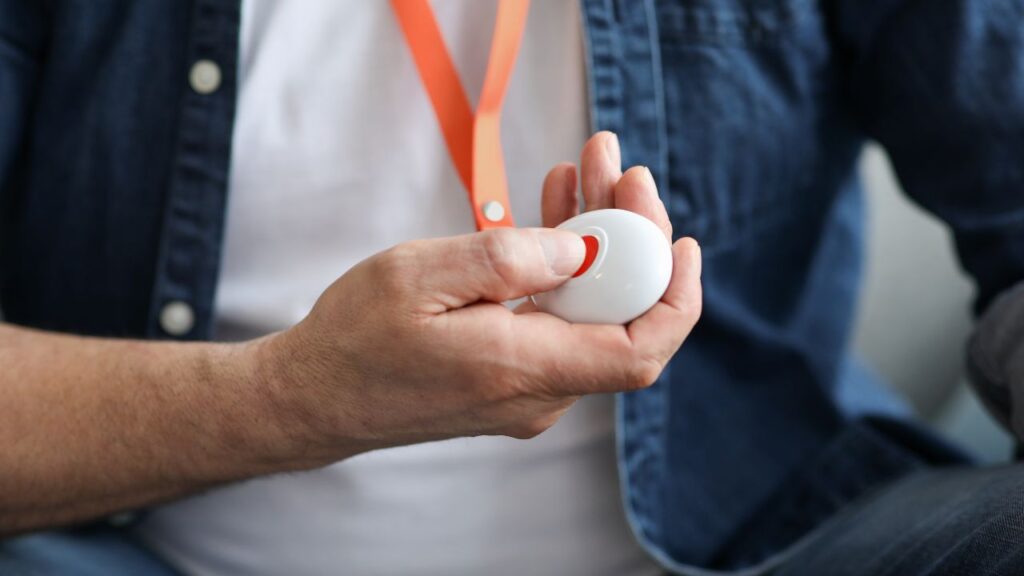
Emergency buttons for seniors are the simplest safety device you can buy for an elderly parent. Press it, help comes. But the one you choose determines whether help comes in 15 seconds or never — and the difference between those two outcomes is not price. It is knowing which type of button to buy before you buy it.
This guide covers everything: the two types of emergency buttons for seniors, wearable versus wall-mounted, range and waterproofing, and the five best options in 2026 across every budget.
Two Types of Emergency Buttons for Seniors — Monitored vs Unmonitored
Before comparing devices, understand the single most important distinction in the emergency buttons for seniors category. Every device is either monitored or unmonitored — and the difference determines what actually happens when the button is pressed.
Monitored emergency buttons for seniors connect to a 24/7 professional response centre when the button is pressed. An operator answers within seconds, speaks with the senior through the device speaker, assesses the situation, and contacts the designated caregiver or dispatches emergency services as needed. The response happens whether or not the senior can speak. It happens whether or not you answer your phone. It happens at 3am.
Monthly cost: $20–$30/mo. This is the subscription that funds the monitoring centre.
Unmonitored emergency buttons for seniors call or text a preset list of family contacts when the button is pressed. No operator, no professional response centre. If the contacts do not answer, nothing further happens. If your phone is off or you are in a meeting, the call goes to voicemail.
One-time cost: $20–$90. No monthly fee.
Which is right for your parent:
Choose a monitored button if your parent lives alone, is at moderate-to-high fall risk, has any cognitive decline, or lives more than 30 minutes from you. The professional monitoring centre is the backup that works even when family cannot be reached.
Choose an unmonitored button if your parent is at low risk, has family nearby at all times, and cost is the overriding constraint. Understand that the device is only as reliable as the family contacts answering their phones.
The Bluetooth button bought from Amazon that failed the night of the fall was unmonitored — and its range limitation made it fail even at its limited function. This guide recommends monitored emergency buttons for seniors for any parent living alone.
Wearable Emergency Button vs Wall-Mounted Button for Seniors
Emergency buttons for seniors come in two physical forms — and the best configuration for most homes is both.
Wearable emergency buttons for seniors are worn as a pendant around the neck or as a wristband. They go wherever the senior goes — bedroom, kitchen, garden, car. If your parent falls anywhere in or around the home, the button is on their body and reachable. The limitation: they must be worn. A button on the nightstand does not work.
Wall-mounted emergency buttons for seniors are fixed to a surface — inside the shower cubicle, beside the toilet, next to the bed. They require no wearing, no remembering, and no charging. The limitation: they only cover the location where they are installed.
The recommended configuration: a wearable button for whole-home coverage, plus a wall-mounted button inside the shower. The bathroom is the highest-risk room in the house for senior falls — and it is the room where seniors are most likely to have set their wearable button aside.
Bay Alarm Medical, Medical Guardian, and LifeFone all offer compatible wall-mounted buttons as add-on accessories. If your parent showers independently, adding a shower wall button alongside the wearable emergency button for seniors is the recommended setup.
How Far Do Emergency Buttons for Seniors Reach?
Range is the specification that determines whether the button works in every room of the home — or just the ones close to the base station.
In-home emergency buttons for seniors work by communicating wirelessly between the wearable button and a base station plugged into the home. The range is the maximum distance between the button and the base station that still allows a connection.
Range comparison across current devices:
- Medical Guardian Classic: 1,400 ft — the widest range in the category
- MobileHelp Classic: 1,400 ft — matches Medical Guardian for in-home range
- Bay Alarm Medical: 1,000 ft — covers most standard home layouts
- LifeFone At-Home: 600 ft — sufficient for apartments and smaller homes
For a standard single-storey home or apartment: 600 ft is sufficient. For a two-storey house, a large property, or a home with an attached garden the senior regularly uses: 1,000–1,400 ft is the appropriate specification.
The range matters most at the extremes — the far end of a garden, an upstairs bathroom on the opposite side of the house from the base station, a detached garage. If your parent spends time in any of these areas, confirm the range before purchasing.
For seniors who regularly leave home: a cellular GPS button (Bay Alarm Medical SOS Mobile, Medical Guardian Mobile) eliminates the range limitation entirely — the button connects directly to the cellular network rather than a home base station.
Do Emergency Buttons for Seniors Work in the Shower?
They should — and the right ones do.
The bathroom is the most dangerous room in the house for senior falls. A wearable emergency button for seniors that cannot be worn in the shower is a button that is not being worn during the highest-risk part of the day.
What the waterproof ratings mean:
Water-resistant: Survives splashes. Not suitable for shower use. This rating is inadequate for an emergency button that should be worn at all times.
IP67: Withstands immersion in up to 1 metre of water for 30 minutes. Fully shower-safe. This is the minimum rating worth considering for any wearable emergency button for seniors.
IP68: Withstands immersion beyond 1 metre. The highest consumer rating — suitable for shower, bath, and accidental pool entry.
All five devices in this guide are rated IP67 or higher. If you are comparing any device not in this guide, confirm the IP rating specifically. “Water-resistant” is not the same as waterproof and should not be trusted for shower use.
The shower wall button addresses the gap for seniors who remove their pendant before showering regardless of waterproof rating — habit is harder to change than a specification. A wall button inside the shower cubicle requires nothing to be worn.
Bay Alarm Medical — Best Monitored Emergency Button for Seniors
Bay Alarm Medicalis the best overall monitored emergency button for seniors — combining fast professional response, the widest range of wearable options in the category, and the most affordable fall detection add-on available.
The in-home system covers 1,000 ft from the base station — sufficient for most home layouts. The SOS Mobile plan extends coverage outdoors via cellular GPS for seniors who leave home regularly. The Bella Charms add-on transforms the pendant aesthetically for seniors who resist wearing anything that looks medical.
Bay Alarm Medical operates on a month-to-month basis — no long-term contract. Multiple caregivers can monitor the account simultaneously through the caregiver portal.
Monthly: $27.95–$34.95 Device: Included In-home range: 1,000 ft GPS option: Yes — SOS Mobile plan Fall detection: $6/mo add-on (lowest in category) Waterproof: IP67 Contract: Month-to-month Year 3 total: ~$1,006–$1,258
Best for: Caregivers who want the best value monitored emergency button with professional response. Seniors who need fall detection at the lowest available add-on cost. Seniors who resist wearing medical-looking devices — Bella Charms addresses this directly.
Medical Guardian Classic — Best Range Emergency Button for Seniors
Medical Guardian Classic offers the widest in-home range of any monitored emergency button for seniors in the category — 1,400 ft — covering large two-storey properties, homes with extensive gardens, and any layout where a 600–1,000 ft range may leave gaps.
The monitoring centres are CSAA Five Diamond certified — the highest industry standard for emergency response operations. The Senior List’s 2026 testing recorded Medical Guardian’s average response time at 8 seconds — the fastest in the category.
Fall detection is available as an add-on. The MGMini upgrade option provides the same monitoring in a smaller pendant form factor with built-in GPS.
Monthly: $29.95 Device: Included In-home range: 1,400 ft — widest in category GPS option: Yes — Mobile plan upgrade Fall detection: Add-on available Waterproof: IP67 Contract: Month-to-month Year 3 total: ~$1,078
Best for: Large homes where 1,000 ft range is insufficient. Caregivers who prioritise the fastest monitored response time. Seniors who need the widest in-home coverage available.
LifeFone At-Home — Best Rated Emergency Button for Seniors
LifeFone holds a 4.7-star customer rating — the highest verified rating of any monitored emergency button for seniors provider in the category. The rating is driven primarily by customer service quality and the breakaway cord that comes standard on all wearable buttons.
The breakaway cord releases under tension rather than holding — critical for seniors who use walkers, rollators, or bed rails where a fixed cord can catch and pull. LifeFone is one of only two providers in this guide that includes a breakaway cord as standard without an additional charge.
Battery life on LifeFone pendants regularly exceeds 7 days between charges — reducing the risk of an uncharged button at the critical moment and lowering the daily maintenance burden on the senior or caregiver.
Monthly: $24.95–$29.95 Device: Included In-home range: 600 ft GPS option: Yes — At-Home and On-the-Go plan Fall detection: $5/mo add-on Cord: Breakaway — standard Battery: 7+ days Waterproof: IP67 Contract: Month-to-month Year 3 total: ~$898–$1,078
Best for: Caregivers who prioritise verified customer service ratings. Seniors who use walkers or bed rails and need a breakaway cord as standard. Long battery life needed to reduce charging friction.
MobileHelp Classic — Most Affordable Monitored Emergency Button for Seniors
MobileHelp Classic is the most affordable monitored emergency button for seniors with free equipment — $25.95/mo, no device fee, no activation fee, and no long-term contract required.
The in-home range extends to 1,400 ft — matching Medical Guardian for the widest coverage in the category, at a lower monthly rate. For caregivers whose primary constraint is cost and whose parent stays at home, MobileHelp delivers professional monitoring at the lowest available price without sacrificing range.
Fall detection is available as an add-on for seniors at higher risk.
Monthly: $25.95 Device: Free In-home range: 1,400 ft GPS option: Yes — MobileHelp Solo upgrade Fall detection: Add-on available Waterproof: IP67 Contract: Month-to-month Year 3 total: ~$934
Best for: Caregivers where budget is the primary constraint. Seniors who primarily stay at home. Large homes where maximum in-home range is needed at the lowest monthly cost.
Not for: Active seniors who leave home regularly — the Classic plan is in-home only. Seniors who need GPS outdoor coverage should upgrade to MobileHelp Solo or consider Bay Alarm Medical’s cellular plan.
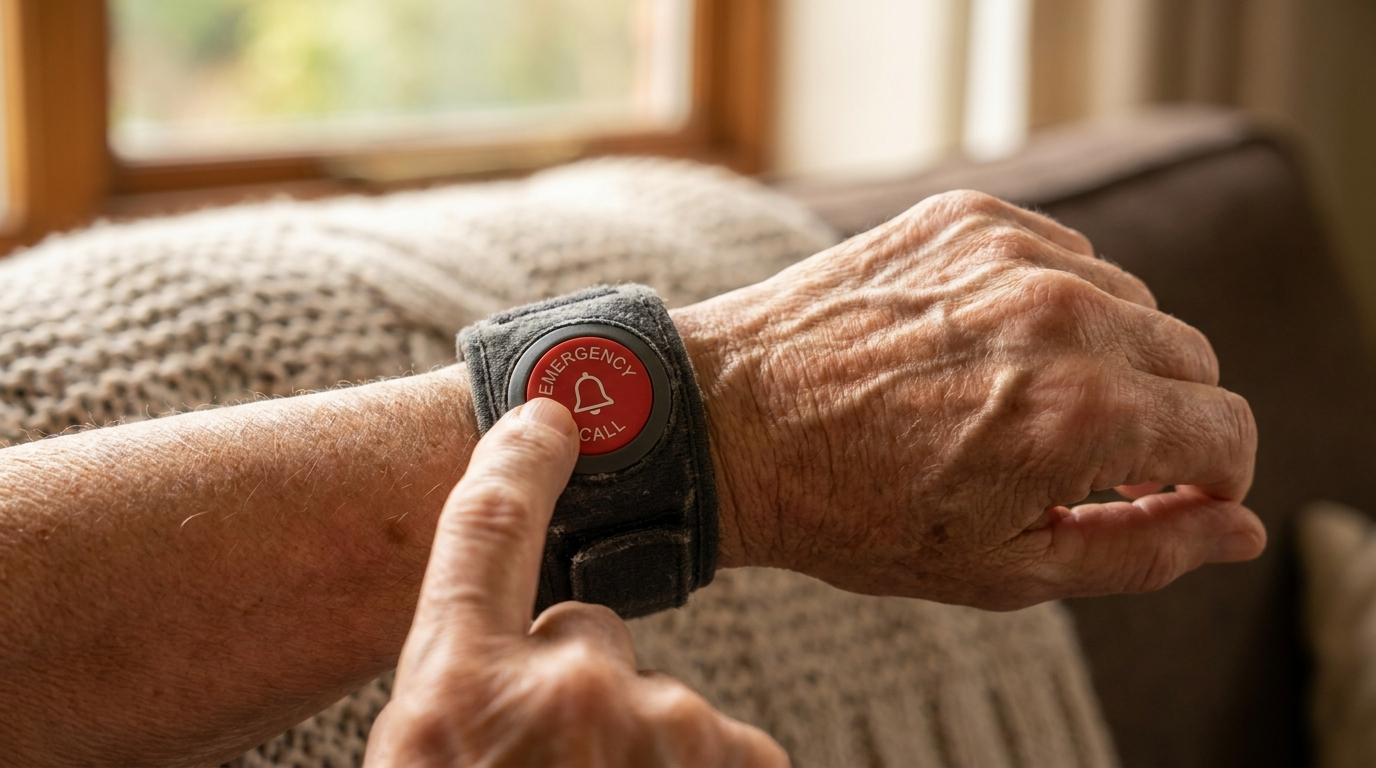
SecuLife 2026 — Best No-Monthly-Fee Emergency Button for Seniors
SecuLife 2026 is the best emergency button for seniors with no monthly fee — a $89.50 one-time purchase that includes GPS tracking and automatic fall detection with no ongoing subscription cost.
The trade-off: SecuLife is unmonitored. When the button is pressed, it contacts preset family contacts rather than a 24/7 professional monitoring centre. If family contacts do not answer, no further escalation occurs. For seniors who have family nearby and reliably reachable at all times, this is an acceptable trade-off at significant cost savings. For seniors who live alone without guaranteed family availability, a monitored option is more appropriate.
Device: $89.50 one-time Monthly: $0 GPS: Yes Fall detection: Yes Monitoring centre: No — family contacts only Year 3 total: ~$90
Best for: Seniors at low risk with family nearby and reliably available. Caregivers where any monthly fee is a barrier. A backup device for seniors who already have a monitored system.
Not for: Seniors who live alone without guaranteed family contact. Any senior at moderate-to-high fall risk without a professional monitoring backup.
3-Year Cost Comparison — Emergency Buttons for Seniors
| Device | Monthly | Device Fee | Year 3 Total | Monitoring | Range | Breakaway Cord |
|---|---|---|---|---|---|---|
| SecuLife 2026 | $0 | $89.50 | ~$90 | No — family only | GPS | N/A |
| LifeFone At-Home | $24.95–$29.95 | $0 | ~$898–$1,078 | Professional | 600 ft | Yes |
| MobileHelp Classic | $25.95 | $0 | ~$934 | Professional | 1,400 ft | No |
| Bay Alarm Medical | $27.95–$34.95 | $0 | ~$1,006–$1,258 | Professional | 1,000 ft | Yes |
| Medical Guardian Classic | $29.95 | $0 | ~$1,078 | Professional | 1,400 ft | No |
What Happens if I Press the Button by Accident?
This is the concern that prevents many seniors from wearing their emergency button for seniors confidently — and it deserves a direct answer.
If your parent presses the button accidentally, the monitoring centre operator answers and asks if they are okay. Your parent says yes. The operator confirms, logs the accidental press, and ends the call. Emergency services are not dispatched. There is no penalty, no charge, no embarrassment beyond a brief conversation with a trained operator.
Monitoring centre operators are specifically trained for accidental presses. It is one of the most common call types they handle. A false alarm takes approximately 30 seconds to resolve and costs nothing.
The fear of accidental pressing is a wearing barrier — a reason seniors leave the button in a drawer. The practical reality is that accidental presses are routine, consequence-free, and resolved in under a minute. The risk of not wearing the button vastly outweighs the minor inconvenience of an occasional accidental activation.
If your parent is reluctant to wear their emergency button for seniors because of this concern, share this directly: pressing it by accident is fine. Not wearing it is the only real risk.
Frequently Asked Questions
What is the best emergency button for seniors? Bay Alarm Medical for the best overall monitored option — fast response, affordable fall detection add-on, breakaway cord, and Bella Charms for resistant seniors. Medical Guardian Classic for the widest in-home range. LifeFone for the highest customer rating. SecuLife for no monthly fee. The best emergency button for seniors depends on whether professional monitoring or zero subscription cost is the priority.
Is there an emergency button for seniors with no monthly fee? Yes — SecuLife 2026 at $89.50 one-time. No monthly fee, GPS included, fall detection included. The trade-off: contacts family only, no professional monitoring centre. For a senior living alone, a monitored option is recommended. For a full comparison of no-fee options, see our guide to medical alert systems with no monthly fee.
How far does an emergency button work from the base station? Range varies by device: LifeFone at 600 ft, Bay Alarm Medical at 1,000 ft, Medical Guardian Classic and MobileHelp Classic at 1,400 ft. For large homes or properties with outdoor areas the senior regularly uses, 1,400 ft is the recommended specification.
Are emergency buttons for seniors waterproof? All five monitored devices in this guide are rated IP67 — fully waterproof for shower use and immersion up to 1 metre. Always confirm the IP rating before purchasing. “Water-resistant” is not waterproof and is not suitable for shower use.
What is the difference between a panic button and a medical alert? They are the same device described differently. “Panic button,” “help button,” “emergency button,” and “medical alert pendant” all refer to the same category of wearable emergency response device. The terminology varies by provider and region — the product function is identical.
Does Medicare cover emergency buttons for seniors? Standard Medicare (Parts A and B) does not cover medical alert devices. Some Medicare Advantage plans include personal emergency response systems (PERS) as a supplemental benefit — call the member services number on your parent’s card and ask specifically about PERS coverage. FSA and HSA funds can generally be used for the device purchase. Some state Medicaid programmes cover PERS devices under Home and Community-Based Services waivers for qualifying low-income seniors.
Can an emergency button work outside the home? In-home base station systems (LifeFone At-Home, MobileHelp Classic) have a fixed range from the base station — typically 600–1,400 ft. Outside that range, they do not work. Cellular GPS options (Bay Alarm Medical SOS Mobile, Medical Guardian Mobile) work anywhere with a cellular signal — inside, outside, and away from home entirely.
What is the fastest emergency button response time? Medical Guardian — 8 seconds average response time per The Senior List’s 2026 testing. Bay Alarm Medical and LifeFone are also among the fastest in the category. Response time is one of the most important practical specifications for emergency buttons for seniors — the difference between 8 seconds and 120 seconds is the difference between a trained operator speaking with your parent quickly and two minutes on the floor waiting.
Our Final Recommendation
Best monitored emergency button for seniors: Bay Alarm Medical — fast response, fall detection add-on at the lowest available rate, breakaway cord, Bella Charms for aesthetics, month-to-month.
Best range: Medical Guardian Classic — 1,400 ft in-home range, 8-second response time, CSAA Five Diamond monitoring.
Best rated: LifeFone — 4.7 stars, breakaway cord standard, 7-day battery.
Most affordable monitored: MobileHelp Classic — $25.95/mo, free device, 1,400 ft range, no contract.
Best no-monthly-fee: SecuLife 2026 — $89.50 one-time, GPS, fall detection, family contacts only.
An emergency button for seniors is the simplest safety device available — one button, one press, help comes. The button that works is the one that is worn, charged, and connected to someone who answers. Choose the monitored option that fits your parent’s risk level and your budget, add a shower wall button if they shower alone, and confirm the range covers every room they use.
For a full comparison of monitored medical alert systems including pricing and response times, see our guide to the top rated medical alert systems for seniors. For seniors who need GPS tracking beyond the home, see our guide to the best medical alert systems with fall detection.
If a device has ever failed at the exact moment it was needed, out of range, dead battery, or simply not being worn, see our guide to fall alert devices for seniors for a full breakdown of each failure mode and which devices actually solve it.