He walked through his mother’s house with a measuring tape.
In This Guide
- Overview
- Comparison
- Best Options
- Our Recommendation
Bedroom to bathroom: 32 feet. Living room to kitchen: 45 feet. Back patio to front door: 78 feet. He was trying to figure out whether a $27.95/month base station in the living room could actually hear his mother call for help from the bathroom where she was most likely to fall at 3am. For further reading, see CDC home safety guidelines.
It could — barely — on the 600 ft system he had been about to buy. But not reliably through the concrete block bathroom wall.
He bought the 1,000 ft system instead.
This is the question no medical alert review site thinks to ask: not just which system is cheapest or best-rated, but whether it will actually cover your parent’s specific home. This complete guide to home medical alert systems for seniors answers that question by home size, layout, and real-world placement.
What Is a Home Medical Alert System (And What Isn’t Covered)? — Home Medical Alert Systems For Seniors
A home medical alert system — also called an in-home medical alert or Personal Emergency Response System (PERS) — consists of two components: Caregivers evaluating home medical alert systems for seniors will find the key details in this section.
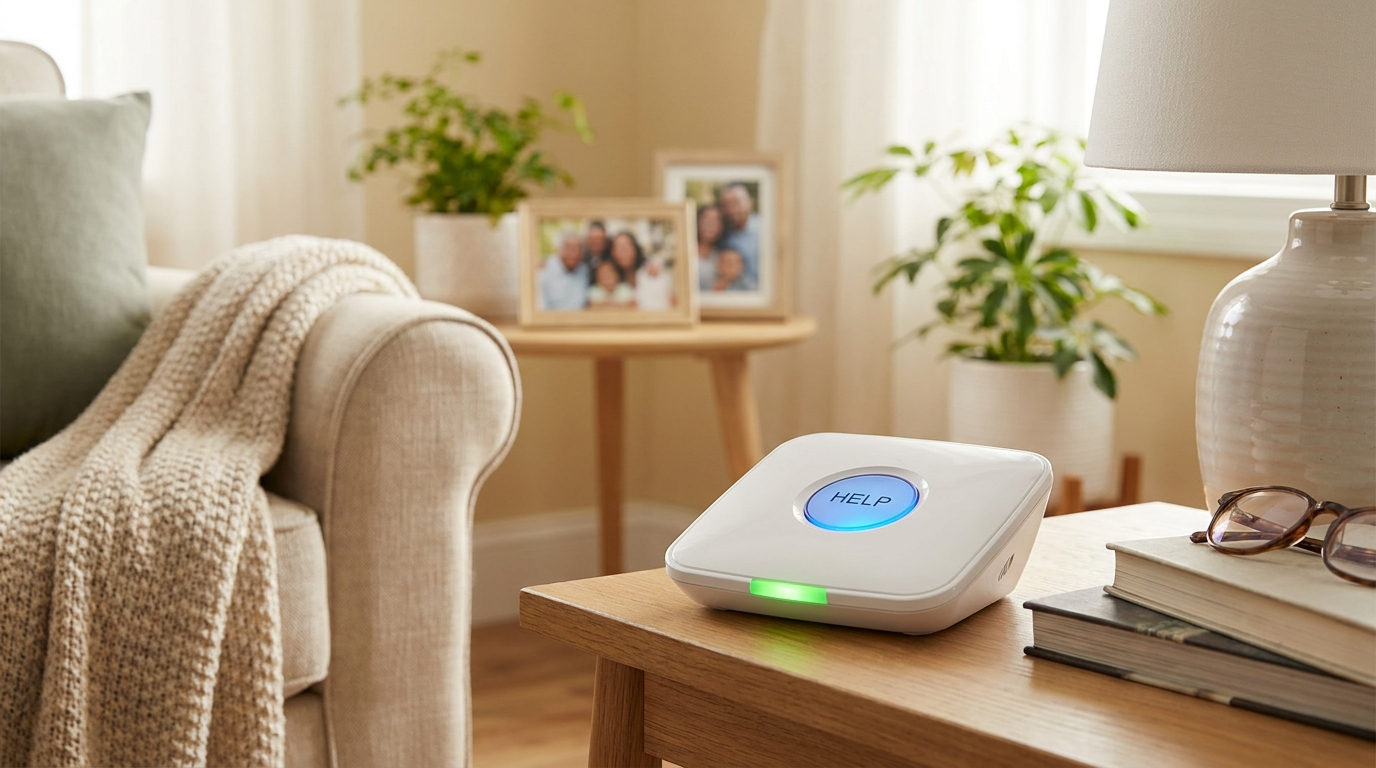
The base station: A unit plugged into a power outlet, usually connected to a landline or cellular network, that communicates with the monitoring centre and plays two-way audio when a button is pressed.
The wearable device: A pendant worn around the neck, a wristband, or a clip-on device that wirelessly communicates with the base station. When pressed, it triggers the monitoring centre connection.
What a home system covers: The area within the base station’s wireless range — typically 600–1,000 feet — measured in open space. Through walls, floors, and ceilings, real-world range is less than the manufacturer’s specification.
What a home system does NOT cover: Outside the wireless range. If your parent walks to the letterbox, into the garden beyond a certain distance, or drives to the shops, an in-home system cannot detect or respond to a fall or emergency in those locations. For seniors who regularly leave the home, a GPS-enabled system is necessary.
Landline vs Cellular — Which Connection Type?
Before comparing specific systems, there is one connection decision that shapes everything else. Landline in-home systems connect through an existing phone line, tend to be a little cheaper, and are highly reliable under normal conditions, but they stop working if the phone line is cut or your parent has already cancelled their landline. Cellular in-home systems connect through a built-in cellular chip, the same way a cell phone works, so no landline is required, and they keep working even if a phone line is cut by accident or a storm. If your parent still has an active landline, a landline system is the cheaper choice; if not, cellular is the only option and is the more resilient default for most families today.
How Much Range Do You Actually Need?
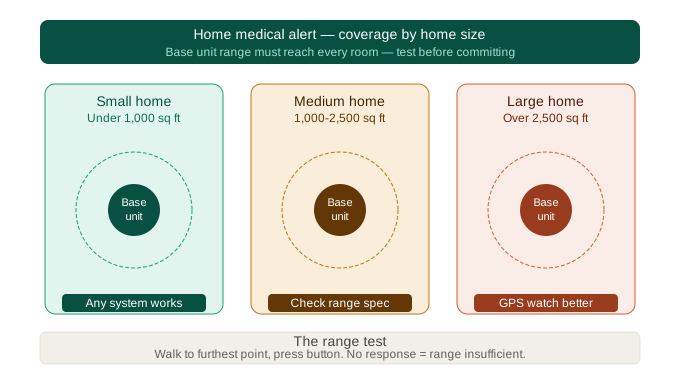
This is the most important question in the in-home category, and it is almost never answered by competitor sites. Here is a practical range guide by home type: Caregivers evaluating home medical alert systems for seniors will find the key details in this section.
Small apartment or unit (under 800 sq ft, single level)
Required range: 400–600 ft minimum. Any major provider’s basic in-home system will cover this layout. Base station in a central room (living room or hallway) typically reaches all areas.
Medium single-storey home (800–1,500 sq ft)
Required range: 600–800 ft. A 600 ft system will cover most of this layout, but bathroom distance, building materials, and wall thickness can create weak spots. Confirm with the provider where they measure range from (usually the base station) and whether they test through walls.
Large single-storey or ranch home (1,500–2,500 sq ft)
Required range: 800–1,000 ft minimum. A 600 ft system is unlikely to provide reliable coverage across the full home. Bay Alarm Medical’s 1,000 ft system is the strongest option for this layout.
Two-storey home
Required range: 1,000 ft. Signal must travel through the floor/ceiling between levels. A 600 ft system may not reliably reach an upper bedroom from a ground-floor base station. Place the base station on the floor where your parent spends most time. Consider a second base station for the other floor (some providers allow this).
Large property with outbuildings or extended garden
Required range: Beyond in-home system capability. In-home systems are not designed for outdoor coverage beyond the immediate garden. If your parent spends significant time in a garden, workshop, or outbuilding, a GPS-enabled system is necessary to complement the in-home base station.
A simple test: Before purchasing, walk the perimeter of your parent’s home and assess each extremity — bedroom, bathroom, back garden, garage. These are your test cases for any in-home system.
The 3 Most Important Placement Decisions
Where you place the base station and additional buttons determines whether your parent’s home is genuinely covered or theoretically covered. Caregivers evaluating home medical alert systems for seniors will find the key details in this section.
Decision 1: Where to place the base station
Place the base station centrally on the floor your parent spends most time on. Avoid placing it in a closed cupboard (signal blocked), in the basement (range reduced on all floors above), or in a bedroom where it only needs to reach one room. The optimal position is typically the living room, kitchen, or main hallway — a central, open location that provides maximum range in all directions.
Decision 2: Where to place wall buttons (if included or purchased separately)
The bathroom is the most important location for a wall button. The majority of senior falls happen in or on the way to the bathroom, particularly at night. A wall button beside the toilet or shower gives your parent an alert mechanism even if they are not wearing the pendant. The bedroom is the second priority — beside the bed, within reach if your parent wakes in the night disoriented or falls while getting up. The kitchen is the third priority for seniors who spend significant time cooking. Wall buttons are typically $20–$50 additional and are the single most underpurchased safety add-on in this category.
Decision 3: What your parent wears at night
The pendant must be worn at night to protect against falls during bathroom runs — which is when most falls occur. If your parent removes the pendant for sleep, the system does not cover them during the most dangerous hours. Consider a wristband alternative for seniors who find a neck pendant uncomfortable for sleeping.
Bay Alarm Medical In-Home — Best for Large Homes (Our Editor’s Choice)
Bay Alarm Medical’s in-home system offers the widest coverage range in the affordable category: 1,000 feet. At $27.95/mo — the same base price as most competitors — it covers significantly more home than any comparably priced system.
The base station does not require a landline. Cellular connectivity is built in, which means it works in homes that have dropped their landline — increasingly common for seniors in their 70s and 80s who use mobile phones only. Fall detection is available for $10/mo. A second pendant for a spouse or partner is available, allowing two residents to share one base station.
- Monthly fee: $27.95/mo base / $37.95/mo with fall detection
- Range: 1,000 ft (best in affordable category)
- Landline required: No (cellular built-in)
- Contract: Month-to-month
- Promo: 17% off annual billing with code OFFER17
Best for: Medium to large single-storey homes. Two-storey homes where the parent uses both floors. Homes where landline has been discontinued.
Honest limitation: Bay Alarm Medical is a smaller brand than Medical Guardian. If your parent or their care team has a strong preference for the most recognised name, Medical Guardian may be a more comfortable choice socially, even at a higher price.
Medical Guardian Classic — Best for Monitoring Quality
Medical Guardian’s Classic in-home plan ($37.95/mo) costs $10/mo more than Bay Alarm Medical, but its monitoring centres are CSAA Five Diamond certified — among the highest industry standards for emergency response operations. The response quality is consistently rated as the best in the category.
For seniors at high medical risk — post-stroke, recovering from surgery, cardiac history — the quality of who answers when the button is pressed matters. Medical Guardian’s edge in monitoring quality justifies the price premium in high-risk situations.
- Monthly fee: $37.95/mo base / $47.95/mo with fall detection
- Range: up to 1,400 ft
- Contract: Month-to-month
Best for: Seniors with high medical complexity or recent hospitalisation. Smaller homes (under 1,500 sq ft). Families who prioritise monitoring centre quality over lowest monthly cost.
Honest limitation: $10/mo more than Bay Alarm on the base plan. Both charge $10/mo for fall detection, so over three years the total cost difference between Medical Guardian and Bay Alarm with fall detection is approximately $360.
LifeFone At-Home — Best for No-Contract Flexibility
LifeFone’s at-home plan ($29.95/mo + $25 one-time activation) offers 1,000 ft range, matching Bay Alarm, at a slightly higher monthly rate but with no long-term contract and strong customer service ratings.
Where LifeFone distinguishes itself: customer service. Caregivers consistently report shorter hold times, more knowledgeable representatives, and easier equipment handling when things go wrong. For less tech-confident caregivers or seniors, this service quality difference is a real factor.
- Monthly fee: $29.95/mo base / $34.95/mo with fall detection
- Activation fee: $25 (one-time)
- Range: 1,000 ft
- Contract: Month-to-month
Best for: Caregivers who want flexibility without a long-term commitment. Seniors or families who value accessible customer service. Short-term care situations where the timeline is uncertain.
MobileHelp Solo — Best Budget Option
MobileHelp’s Solo in-home plan matches Bay Alarm’s base price at $27.95/mo with no activation fee and no contract; LifeFone’s at-home landline plan starts from $24.95/mo on an annual plan. The 600 ft range is sufficient for smaller homes, apartments, and units. MobileHelp is particularly well-regarded for ease of setup — a good option for caregivers managing setup remotely by phone instruction.
- Monthly fee: $27.95/mo base / $32.95/mo with fall detection
- Range: 600 ft
- Contract: Month-to-month
Best for: Small apartments or units (600 ft sufficient). Remote setup scenarios. Seniors or families who want simple, no-frills coverage.
ADT Medical Alert — Best for Brand Trust
ADT is one of the most recognised names in home security, and their in-home medical alert system carries that reputation. The system includes a base station and wearable pendant, connects via cellular (no landline required), and is plug-and-play to install. It was rated Best In-Home by The Senior List in 2026.
Monthly fee: $29.99/mo | Connection: Cellular | Contract: None
Best for: Families who prioritise brand trust and proven monitoring infrastructure over squeezing out the lowest possible monthly rate.
Dementia and In-Home Systems — When It’s Not Enough
In-home medical alert systems rely on two things: the senior being within range of the base station, and the senior pressing the button (or fall detection triggering). For most seniors, this is sufficient. For seniors with dementia, it is often not.
When in-home is insufficient for a dementia senior:
- Your parent wanders and may leave the range of the base station
- Your parent sometimes forgets they have the pendant and removes it
- Your parent cannot reliably press the button during a crisis
- Your parent leaves the home unsupervised and walks into the neighbourhood
In these scenarios, an in-home system alone is not adequate. A GPS-enabled system with auto-fall detection — such as Medical Guardian Mobile ($44.95/mo) or Bay Alarm SOS GPS+ ($37.95/mo) — provides coverage both inside the home and beyond it.
Auto-fall detection is particularly critical for dementia seniors who may fall and be unable to press the button. See our guide to medical alert systems with fall detection for a full comparison of GPS and auto-detect options.
In-home only is appropriate for: Early dementia where the senior is still reliable with the pendant, does not wander, and spends most of their time at home in a defined space.
Night Safety — Covering the Bathroom Run
This is the specific scenario most caregivers do not plan for, and it is the most likely time for a fall to occur.
The typical night-fall scenario: Senior wakes at 2–3am needing the bathroom. Gets up in the dark, possibly disoriented from sleep. Falls in the hallway or bathroom. Cannot get up without help.
For your in-home system to protect against this:
- The pendant must be worn at night — not left on the nightstand
- The base station range must reach from the bedroom to the bathroom
- A wall button in the bathroom provides backup coverage in case the pendant is not worn or the fall occurs before the button can be pressed
Confirm your base station placement covers the bedroom-to-bathroom distance before relying on the system for nighttime protection.
The “No Pendant” Strategy — Using Wall Buttons Only
Some seniors will simply not wear a pendant. Full stop. No amount of caregiver persuasion changes this.
For these seniors, wall buttons offer a partial alternative. Placed at key points — bedside, bathroom, kitchen — wall buttons give your parent an alert mechanism without requiring them to wear anything.
The limitation: Wall buttons are fixed points. They only work if your parent falls within reach of one. A fall in the hallway between the bedroom and bathroom — where no button is placed — cannot be addressed with wall buttons alone.
The best provider for a wall-button-only strategy is Bay Alarm Medical, because its 1,000 ft range allows multiple wall buttons across a larger home area. Ask the provider how many wall buttons are included and what additional buttons cost.
If your parent will not wear anything at all, also consider GetSafe’s voice-activated system as an alternative approach — sensors in each room respond to a verbal call for help without any button to press or device to wear.
Can I Install This Myself?
Yes. Modern cellular in-home systems are designed for plug-and-play setup, no technician, no wiring, no tools. Plug the base station into a wall outlet, connect it to your phone line if you’re using a landline model, charge the pendant for the recommended 2 to 4 hours, then test the system by pressing the help button so the monitoring centre can confirm everything is working. The whole process takes 15 to 30 minutes for most people, and because nothing is hardwired, it’s fully renter-friendly, if your parent moves, the system moves with them.
Frequently Asked Questions
What is an in-home medical alert system?
An in-home system consists of a base station connected to a monitoring centre and a wearable device (pendant or wristband) that communicates wirelessly with the base. When the button is pressed or fall detection triggers, the base station connects to the monitoring centre for emergency response.
Does an in-home system need a landline?
Not necessarily. Bay Alarm Medical, MobileHelp, and others offer cellular-enabled base stations that work without a landline. Some older or budget systems require a landline connection. Confirm before purchasing if your parent has no landline.
What is the best in-home system for a large house?
Bay Alarm Medical at 1,000 ft range is the best option for large homes in the affordable category. Medical Guardian Classic covers up to 1,400 ft — the longest range of any provider in this guide. For very large homes or homes with multiple floors, consider a second base station or a provider that offers range extenders.
Can I use an in-home system if I have a two-storey house?
Yes, but with caveats. A 600 ft system may not reliably reach from a ground-floor base to an upper-floor bedroom. A 1,000 ft system (Bay Alarm Medical, LifeFone) is recommended for two-storey homes. Place the base station on the floor your parent spends most time on.
What happens if the power goes out?
Base stations have a backup battery providing 24–48 hours of operation during a power outage. Cellular-enabled systems are more resilient to outages than landline-dependent systems. Confirm backup battery duration with your specific provider.
How long does the battery last on the pendant?
Pendant battery life varies by model. Most wearable buttons last 24–36 hours between charges and include low-battery alerts. Some models (particularly LifeFone) have extended battery life of 7+ days, which reduces the risk of an uncharged device at a critical moment.
Can I get a second pendant for my spouse?
Yes. Most providers offer a second pendant or wristband for a partner sharing the same home. Bay Alarm Medical and LifeFone both have two-device options. This is typically cheaper than two separate subscriptions.
I live in a two-storey house — can I put the base on one floor and still hear the alert on the other?
The base station can reach across floors, but signal strength decreases through ceilings. A 1,000 ft system (Bay Alarm Medical, LifeFone) provides more reliable cross-floor coverage than a 600 ft system. For a two-storey home, place the base on the floor your parent uses most (often ground floor) and confirm with the provider that the specific model can reach the upper floor through your home’s construction type.
My dad refuses to wear anything — can an in-home system work with just wall buttons?
Yes, partially. Wall buttons placed at key points (bedside, bathroom, kitchen) give your parent a way to call for help without wearing anything. The limitation is coverage gaps — hallways and rooms without a button are unprotected. For a parent who refuses to wear anything, consider adding more wall buttons at strategic points or look at GetSafe’s voice-activated system as a no-wearable alternative.
Does Medicare Advantage cover in-home medical alert systems more easily than GPS systems?
Some Medicare Advantage plans are more likely to cover in-home PERS devices than GPS units, as fixed-location systems are easier for insurers to categorise as home healthcare equipment. However, coverage varies significantly by plan. Call your plan’s member services and ask specifically about PERS coverage for in-home versus mobile systems.
Our Final Recommendation
For most caregivers, Bay Alarm Medical is the best home medical alert system for seniors. Bay Alarm Medical
The 1,000 ft range covers the widest variety of home layouts. The $27.95/mo base price is among the lowest in the category. Fall detection is available for $10/mo. No landline required. No contract.
For seniors with high medical complexity or recent hospitalisation, Medical Guardian’s monitoring quality may justify the higher cost. Medical Guardian
For caregivers who want simplicity and accessible customer service without compromising on range, LifeFone is a strong alternative to Bay Alarm with comparable range and strong customer service ratings. LifeFone
Before purchasing any in-home system, measure or estimate the distance from your parent’s most-used rooms to the bathroom. Confirm with the provider that their system reliably covers that range through your home’s specific walls and floors. And order one wall button for the bathroom before you need to explain why you didn’t.
For in-depth coverage of specific device formats, see our guides to in-home medical alert systems and emergency buttons for seniors.
This article was researched and written by the SafeElderCare editorial team, which evaluates senior safety products to help family caregivers make confident, informed decisions for the people they love most.